J. R. Casey Bralla
377 Farmview Drive
East Earl, PA 17519
610-810-7716

The Mind-Body Dualism Problem
|
|
The NerdWorld Report J. R. Casey Bralla 377 Farmview Drive East Earl, PA 17519 610-810-7716
|
Technology, Religion, Politics
and The Mind-Body Dualism Problem |
JRC-65 Computer
Tech Info
Essays
Links
Site Hosted by
Vorlon Information Technologies
.png)
Entire site Copyright © 2024 by J. R. Casey Bralla
(except for obvious external works).
All rights reserved.
NOTE: If you link to this site,
or otherwise find it useful,
please send a brief note to the author.
.png)
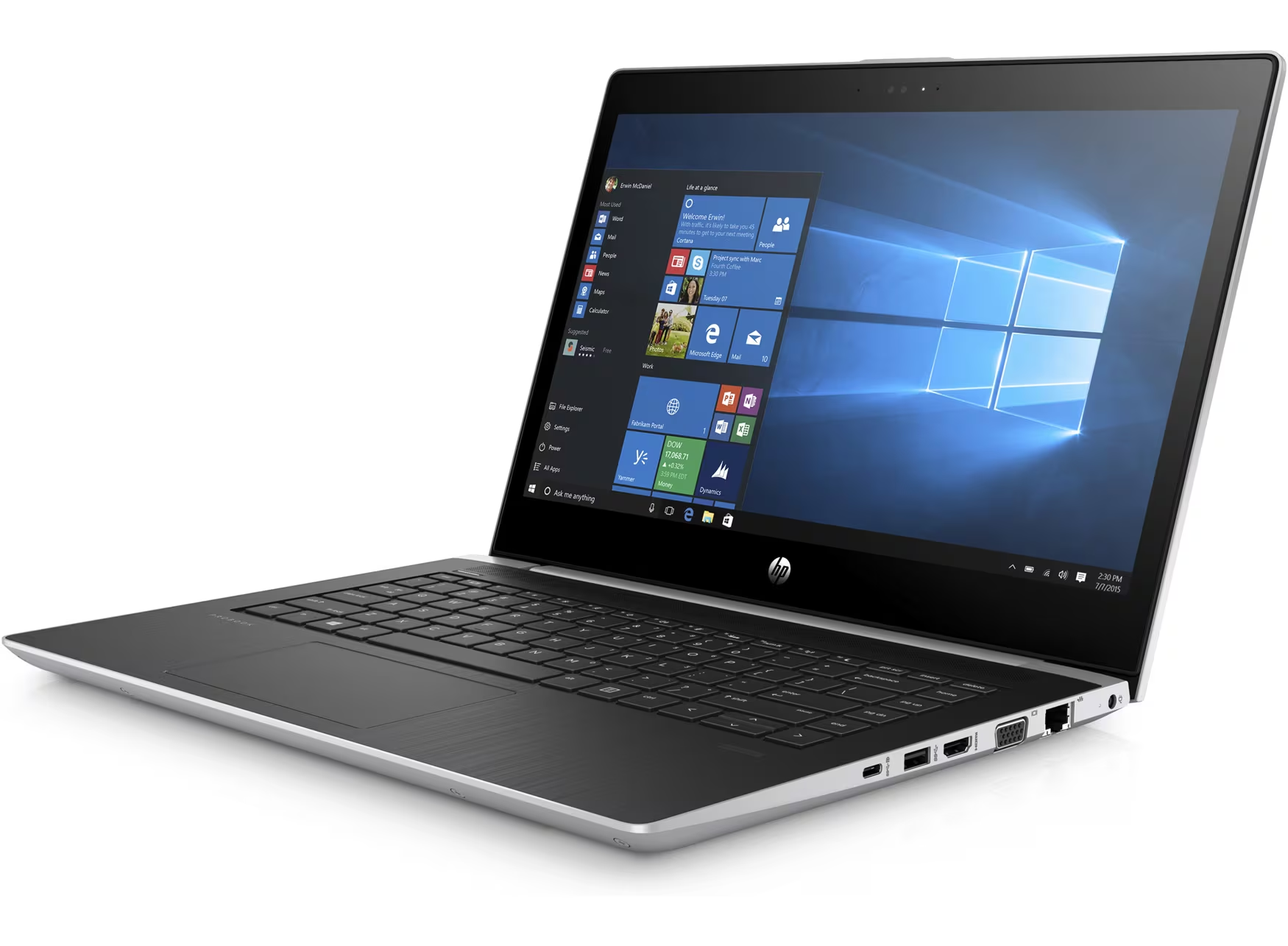
Early last year, I picked up an inexpensive HP ProBook laptop from Facebook marketplace. The laptop was loaded with a locked-down version of Windows 10. Apparently, it had been a student-issued laptop for on-line classes for a Maryland cyber-school. To ensure the laptop functioned properly, the user did not have admin rights, and most of the settings and programs were locked down. The user could connect to the internet and run the installed programs, but could not add or remove programs or change any major system settings. Worse, the BIOS setup routines were locked by the school's IT department with a password. Luckily, the lockdown did not prevent me from wiping the disk and re-installing a fresh copy of Windows 10 (and later Debian Linux), but the inability to open the BIOS settings angered me.
Thus began my holy quest to get into that sucker's BIOS settings one way or another.
HP ProBook BIOS Passwords
Clearing a BIOS password used to be an almost trivial task. Not so for the HP ProBook.
.jpg)
In milder days, all you had to do to reset a BIOS password was short a jumper on the computer's motherboard. If that didn't work, you'd remove the button battery, and short the jumper. With power lost to the BIOS configuration RAM, the password would be cleared. You might have to re-set all the other settings, but this was always a fairly simple task.
Not so with the HP proBook.
The ProBook, like other new laptops, does not store the encrypted password in the BIOS configuration RAM. Rather, it stores it in a separate rewritable ROM. This means that clearing the CMOS configuration RAM does NOT erase the password. There are only 3 ways to clear the password, and 2 of them require knowing the current password. These ways are:
Youtube & HP's "Help" for Lost Passwords
My first stop, naturally, was Youtube. There are tons of password cracking videos on Youtube. Many of them deal with this particular model of laptop. None of them helped. If this had been an HP desktop, there is a motherboard jumper to clear password, but it's not included in their laptops.
I did learn that there is a master key, available from HP, to allow those poor jerks who have forgotten their passwords to clear them. Unfortunately, HP has decided that they will only provide this key via regular HP sales channels for large-volume customers. Their customer support staff was polite, but extremely firm: No password help for regular users. Their advice? Scrap the laptop. This, of course, is actually reasonable due to the (probably) rampant theft and re-sale of laptops.
I did end up watching several of the "Reflash the ROM" videos on Youtube, but decided that this is largely outside my skill base, so I did not pursue that idea.
HP's BIOS Control Program
HP has published a Windows application that can read and write specific settings to the BIOS. That application can be found here. The problem with this application, of course, is that you need the current password to make any changes.
Brute Force Crack
Searching the web, I found a program on Github that was designed to brute-force crack the password on this particular HP. It's written in Rust (a language I'm not at all familiar with), but claims to quickly utilize the HP BIOS manipulation program to try to guess the password and clear it. Unfortunately, I never got the program to execute.
Since I'm ignorant of Rust, I used various AI's to help me troubleshoot the Github program. But getting the AI's to help write this program was also troublesome. Most of the public AI's refuse to help "crack" a password. Despite my protestations that I legally owned the laptop, they steadfastly refused to help. Luckily, there's very little "I" in "AI", and I could easily fool the systems into helping as long as I omitted certain trigger words like "crack".
Despite the help from the AI's, I never got the Rust program to execute. Apparently, others had the exact same problem, so I eventually decided that the problem was not my ignorance of all things Rust. My failure with this Rust program discouraged me, but it also got me thinking. There wasn't anything truly special about the Rust program. I could probably write a python script to do the same thing. All I needed was a list of likely passwords and the HP BIOS setting program, and I could try a brute force approach myself. With the help of Claude AI, I wrote a python script to call the HP BIOS program and sequentially test clearing the BIOS with a pre-generated list of password guesses. (I could have written this script on my own, but it went a lot faster with AI help.) My python script would read a possible password from a list of previously generated guesses, call the HP BIOS program and enter the test password, then return and log the result. Naturally, most results would be failures until the exact password was entered.
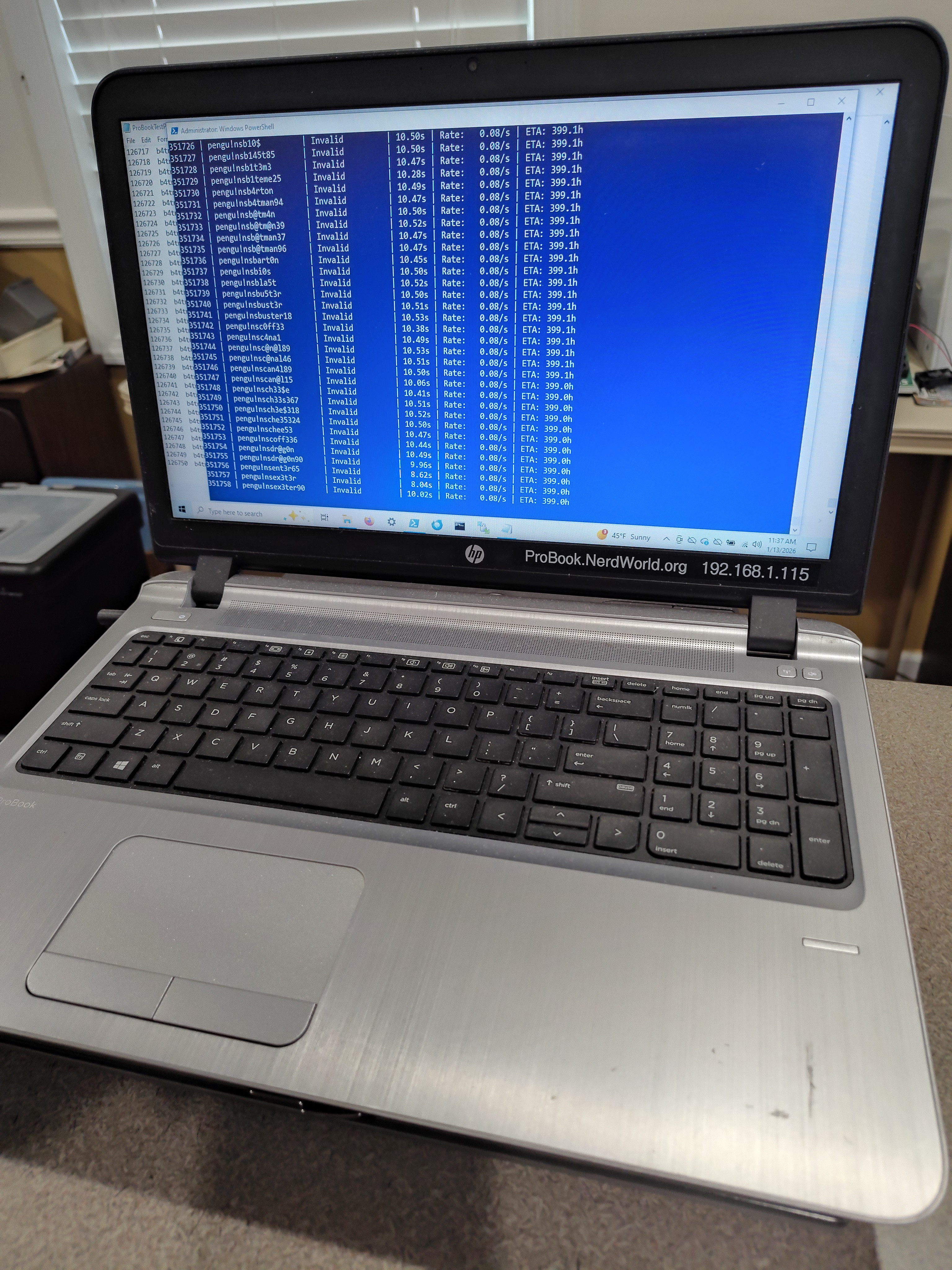
The biggest problem with this approach was the time required. Each test cycle required about 9 seconds on this slow system. Cracking was not going to be a quick process. Luckily for me, this laptop was essentially a hobby toy, so I could set it aside on my desk and let it run 24/7.
My first attempt was to download a list of 50K "frequently used" passwords. This took about about 5 days to run, and yielded no positive results. I therefore downloaded a larger set of 100K passwords. 10 days later, I still hadn't cracked the system
Making Better Guesses
I did a bit of math, and quickly realized I needed to do a better job of guessing possible passwords. Originally, I had naively assumed I could just try every permutation of 6 - 16 characters passwords. But since each guess takes 9 seconds and there are about 62 possible ASCII characters, it would take more than 180 trillion years to test them all. [sigh].
Obviously, I needed to make some good guesses about what the password might be. I asked Claude AI to help me create a list of plausible guesses. I wanted to use "likely" words, with creative letter substitutions (like substituting the number "3" for the letter "e"). I also wanted to use words I thought the IT nerds would have used such as the school name, locations near the school, sports teams, etc. Claude created a python script that generated 500K words, given seed words in several categories.
So with this list, I set the laptop to work, sequentially testing each word and logging the results...
and waited...
and waited...
for 52 days.
After 52 days of chugging away, there were no matches. So back to Claude to generate a list of 1 million guesses using the same criteria. I compared the 1 million names against the 500K names previously generated and eliminated the duplicates. And so once again the system chugged away sequentially testing the second batch of 500K possible guesses for another 52 days. But once again, no go.
Total, Miserable Failure
So it was a good try that took almost 6 months, and I have nothing to show for it except this web article. Was it worth it? Heck yeah! The laptop was cheap, under-powered, and definitely surplus for me, so who cares if I can't get into the BIOS. I can (and have) wiped the hard drive and installed Debian Linux, which runs just fine, thank you. Along the way, I learned how to use Claude AI to help write programs. I also found another reason to dislike Hewlett Packard. (Their ink policy for inkjet printers is immoral and I will never buy another one of their products again.)
If you'd like to try your own hand at cracking HP passwords, feel free to build on the work Claude and I did. Here are some helpful files.
Files: